
Saturday, March 10, 2012

Wednesday, December 7, 2011
Captain's Message: You Matter to Him

….please understand that what you see and experience now is not what forever will be. You will not feel loneliness, sorrow, pain, or discouragement forever. We have the faithful promise of God that He will neither forget nor forsake those who incline their hearts to Him. Have hope and faith in that promise. Learn to love your Heavenly Father and become His disciple in word and in deed."
Thursday, October 27, 2011
Icons - Make it and Use it!

This option is not just for fancy, big-name companies! Even small business entrepreneurs, family blogs and any body can have their own icon.
For some web hosting sites, you'll need to switch to .ico format. I love this site (http://favicon.htmlkit.com/favicon/) for converting an image from my computer into a .ico image. This is also known as a FavIcon image. If your web hosting requires an .ico image, any other format will not work (ex: .jpeg, .bmp, .png, etc.). They have a video how-to if you need any help. It will save the image to your downloads on your computer - and completely free!
Other web hosting sites (I know Blogger is this way) actually don't accept the .ico format (or they convert it on their own). This shouldn't be a problem, though, because they accept the common image formats, like .jpeg, .png, or .bmp.
Okay, now how to make it? Here's how!
- Don't pick photos - they don't look good when they are tiny! Trust me, I tried.
- Use a Letter (that's what Blogger, Etsy, Google, Facebook, and Pinterest all use!)
- Or a Simple Drawing (not too many lines or fine details. Images lose their quality in .ico format, so the simpler the better!)
- And Use Bright, Bold Colors (So many big businesses use bright primary colors to get attention. It's a well-known advertising trick. Even online it's good to be bold - think of Flickr, Twitter, and again, Blogger, Etsy, Google, Facebook and Pinterest. What do they have in common? Bright, bold colors.)
 |
| Here are some pics I compiled (in Paint - nothing fancy!) |
- Click on Resize
- When the window opens, select Pixels
- Make sure the pixel numbers are equal.

3. If you are using a web hosting site that needs .ico format, it is now time to use the nifty tool at the FavIcon site. It's very simple! Again, if you need any help, they have a video to help you out on their main page.
If your site doesn't use .ico format, then go to step four.
4. Now it is time to upload! You'll need to use the browse function to find where you saved the image. In Blogger, it goes like this:
- Go to Layout
- Select Edit in the Favicon box (it should just be there - you don't have to add it as a gadget.)
- Upload the image.
- If this is your first time ever uploading, it shows up pretty fast in the tab. However, I've noticed that sometimes it can take a few hours for a revised or different Favicon to show up in your tab.

5. Make sure you save any changes you have made, including the change of uploading an icon!

Thursday, October 20, 2011
Get "My Etsy" on Your Facebook Page

Log into your Facebook account.

Scroll down to Apps and Websites and click on Edit Settings. In the Apps You Use section click on Edit Settings.


In the menu on the left, click on Security.

Check your Secure Browsing - if it's enabled My Etsy won't work. Click Edit.


From here, you can type in My Etsy in the search bar. The app will be a selection. Click it.


If you are an admin on multiple pages, you'll need to choose which one. Click Add My Etsy.

It will then take you to the Wall of your Page. Click on My Etsy in the menu on the left.

You will need to enter in your Etsy username.Click Submit.


It's ready to go! To see it, click on the My Etsy tab in the menu on the left!
Any other questions or problems? Mention them in the comments and I'll see what answers I can find!
Monday, September 19, 2011
Captain's Message: Of Things That Matter Most
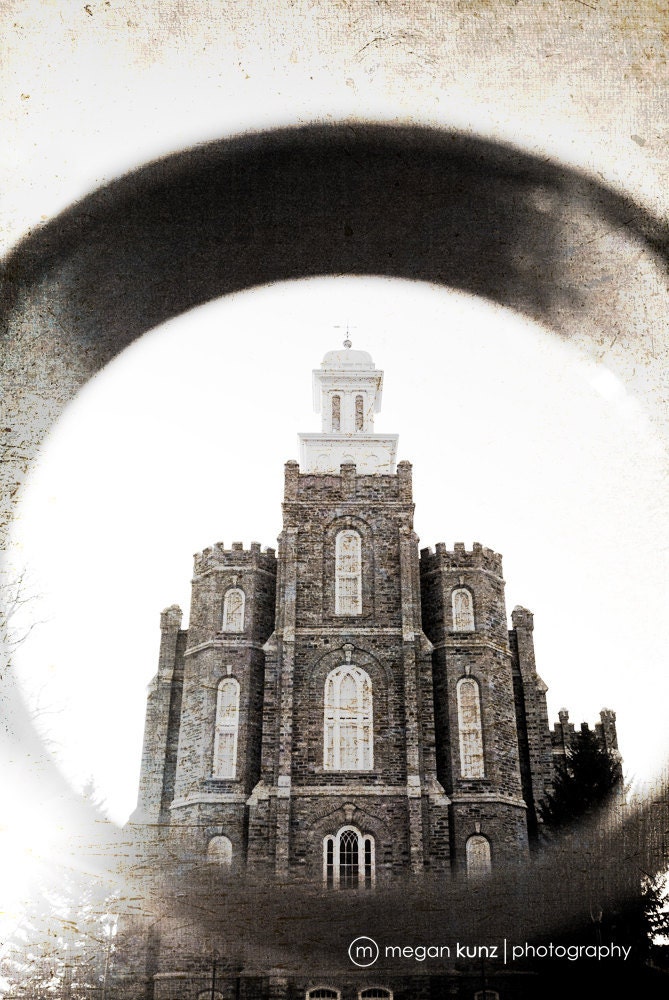 Eternal Round, Textured Logan Temple Portrait, by lighttotheworld on Etsy
"If life and its rushed pace and many stresses have made it difficult for you to feel like rejoicing, then perhaps now is a good time to refocus on what matters most.
My dear brothers and sisters, we would do well to slow down a little, proceed at the optimum speed for our circumstances, focus on the significant, lift up our eyes, and truly see the things that matter most. Let us be mindful of the foundational precepts our Heavenly Father has given to His children that will establish the basis of a rich and fruitful mortal life with promises of eternal happiness. They will teach us to do “all these things … in wisdom and order; for it is not requisite that [we] should run faster than [we have] strength. [But] it is expedient that [we] should be diligent, [and] thereby … win the prize.”
Brothers and sisters, diligently doing the things that matter most will lead us to the Savior of the world. That is why “we talk of Christ, we rejoice in Christ, we preach of Christ, we prophesy of Christ, … that [we] may know to what source [we] may look for a remission of [our] sins.” In the complexity, confusion, and rush of modern living, this is the 'more excellent way'."
Perhaps it is important for you to honestly evaluate your spiritual foundation before you create a schedule. Decide what your priorities are before you create a schedule so it may reflect those priorities. And don't forget to periodically re-evaluate your priorities and schedule, especially in the beginning of implementing any structure or changes! It is my hope that your spiritual foundation will allow you all to find the "balance" you seek.
Best Wishes,
Rachelle